You should absolutely download your favourite youtube videos
Signal boosting Laura's post that you should absolutely download and archive the stuff that matters to you. The corporate internet is hostile to art and the things you love do not belong to you unless you claim them for yourself. If you've been around for a while on YouTube, just look at your "liked videos" playlist and see how many of the early ones are no longer available (something you literally have to enable in the playlist settings, it's that endemic).
The tools to do this in a basic way are extremely easy to get hold of, and generally have good defaults. I'm also going to talk a little about my own setup, and why it is the weird way it is, but it's definitely overkill for most setups. yt-dlp or one of it's many wrappers 1 will do most of what you need, and a folder on a bulk storage drive or NAS will be plenty sufficient to make sure you always have access to them.
For me though, I had a particular need - I have unfortunately programmed myself to be almost entirely unable to fall asleep without a Many a True Nerd Let's Play on a low volume.
This comes with a couple of issues.
- I need to be able to play it on my TV.
- It has to integrate into my existing NAS infrastructure.
- I need to be able to organise hundreds of videos across dozens of playlists. This is a bigger sticking point than it sounds.
- Adding new ones or placing them can't be a manual job. Again, hundreds of videos.
My NAS media library is built around Jellyfin, which has a concept of Playlists but they're really not intended as a first-order organisational structure. You're expected to take a few tracks from a bunch of existing albums and place them in a playlist separate from the actual Library. No, Jellyfin has a very rigid concept of either Movies, TV Shows > Seasons > Episodes, or Artists > Albums > Songs.
TV Shows is the obvious analogue here, and with some really wild finagling I was able to get a setup together that is good enough to satisfy for now2. My setup looks like this:
Jellyfin
In Jellyfin I have a Library setup in TV Shows mode called YouTube. I've turned off all metadata scrapers and the like, and have it set to prefer file data over file names.
ytdl-sub
This is the only yt-dlp wrapper that allowed me to properly maintain the Playlist structure to any extent, and is entirely based on a series of .yaml files. In it's self-hosted docker-compose form, it comes with a web-app VSCode IDE which is honestly super handy - bridges the tech-comfort gap nicely.
I have a custom genre and list of MATN playlists I want it to collect and set metadata for. 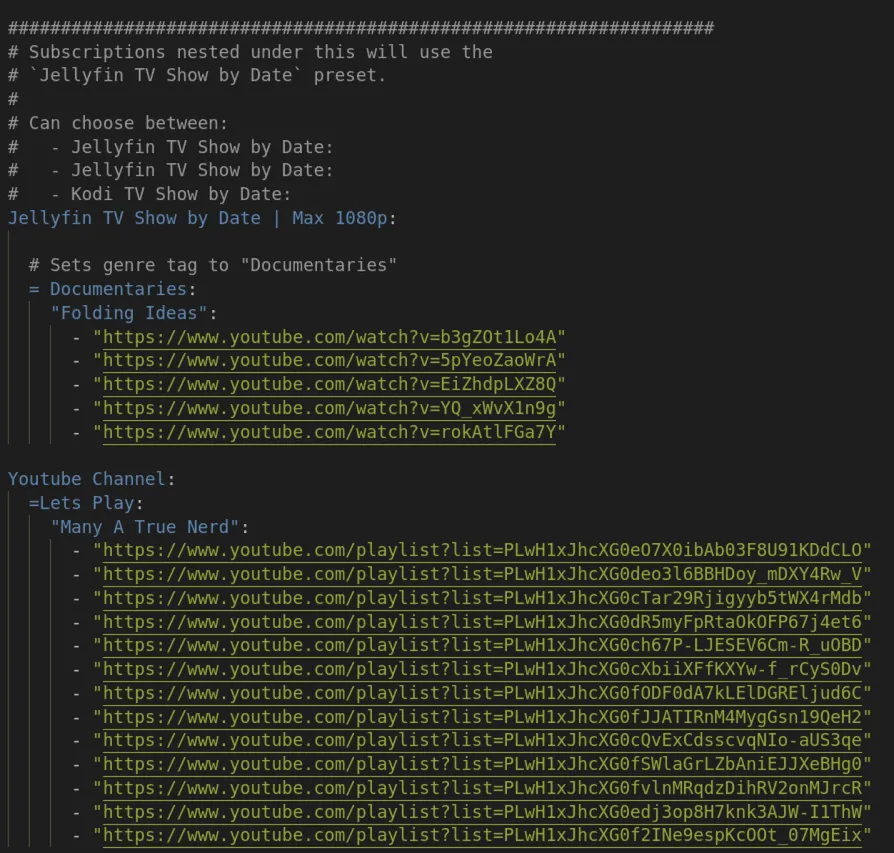
You can also see there I have a handful of Folding Ideas videos set as "Documentaries" - this is more in keeping with how ytdl-sub expects to be used.
The truth is that 99% of youtubers, and 99.9% of viewers, don't particularly need to structure everything as playlists within a channel. Most have a much higher proportion of one-off to series videos that make my MATN structure utterly pointless. As such, ytdl-sub defaults to tagging videos with a Season field organised by Year, but it stores them in folders named for the Playlist. This leads to Jellyfin putting every one of those playlist videos in 2 places within the channel - a Year Series, and a Playlist Series: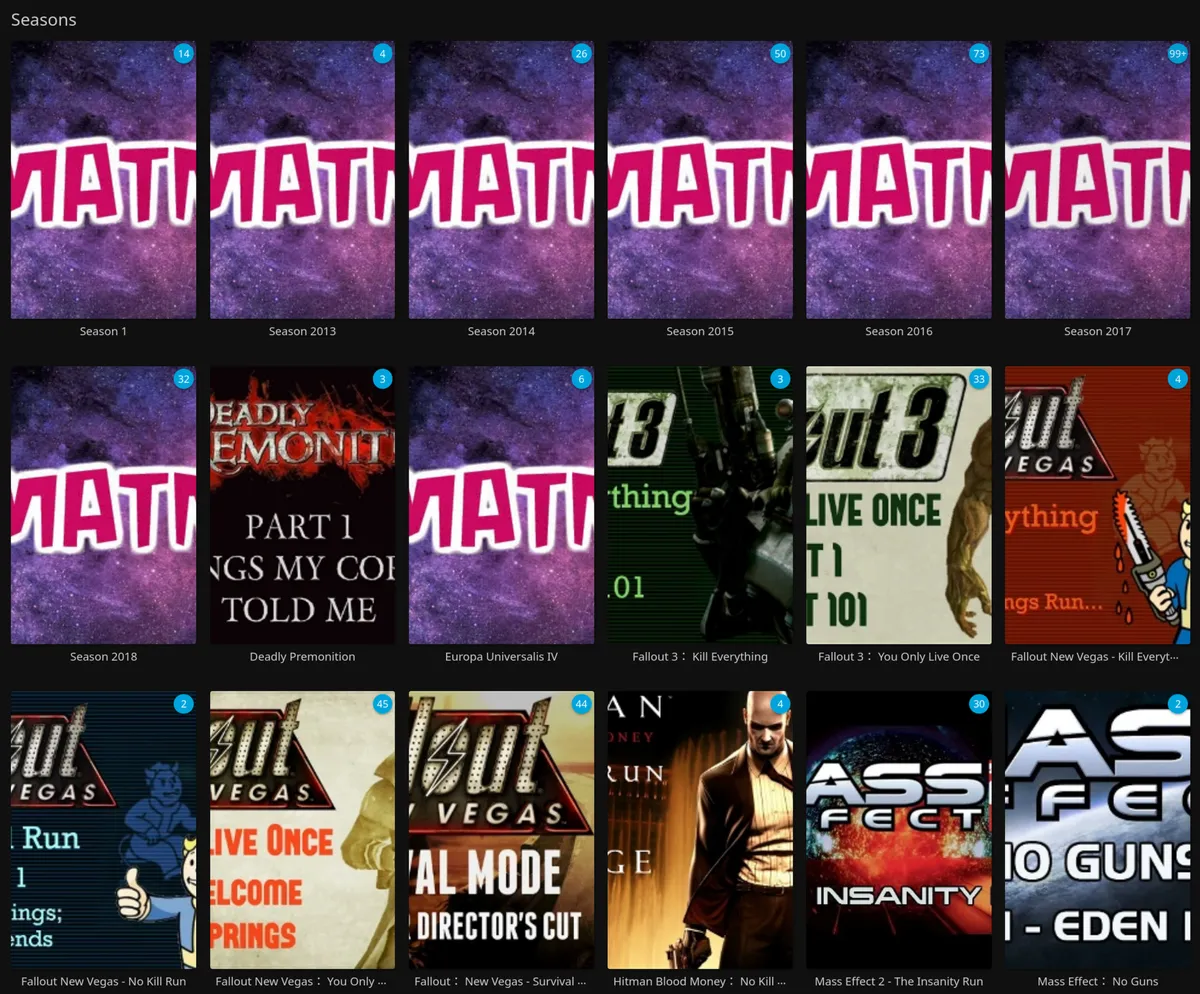
I only recently realised how to fix this, which is to assign the Playlist title as the Season Number in my ytdl-sub config file - it seems like it should break, but it doesn't: 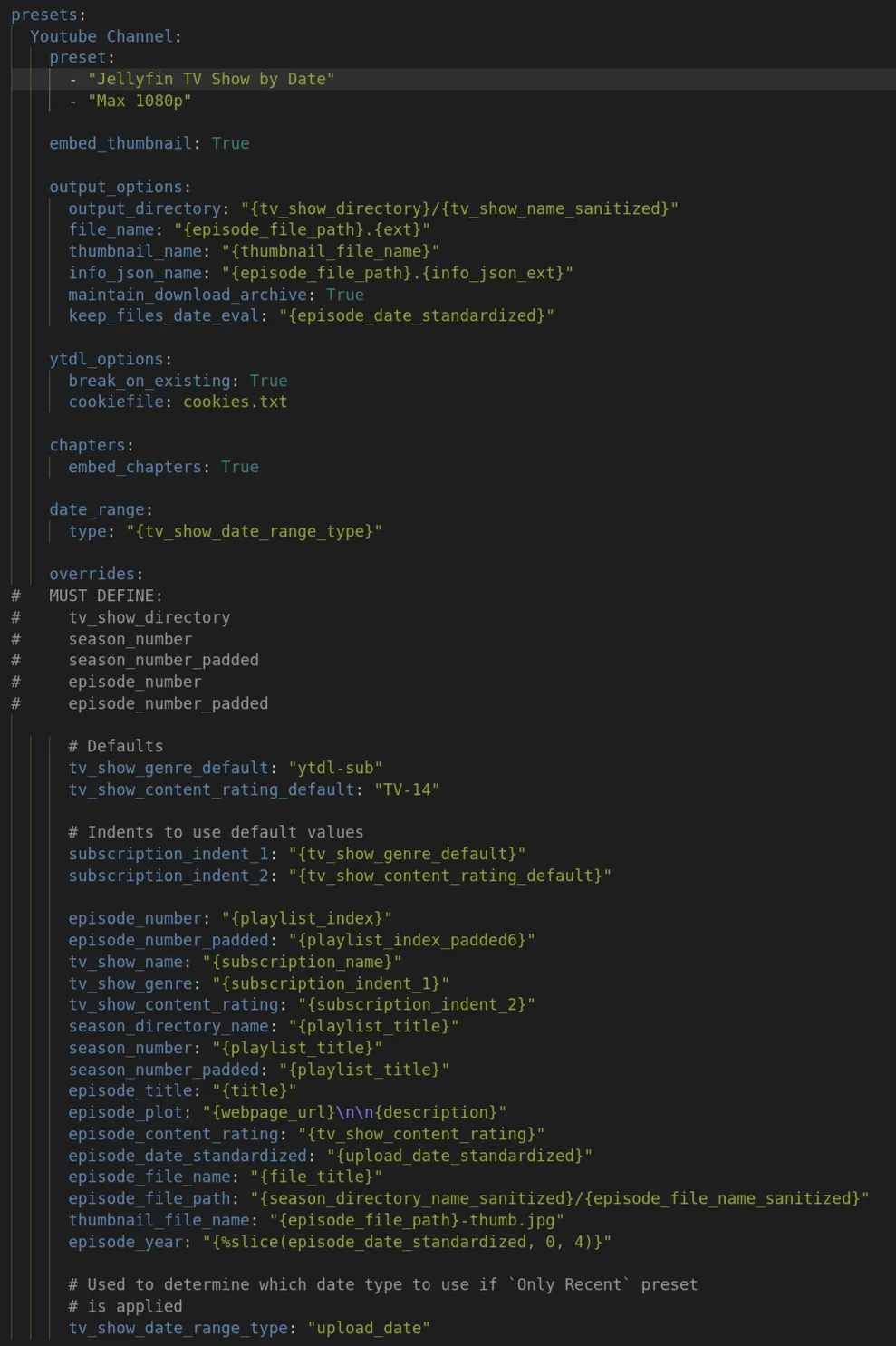
I could write a script to go in and fix this for all my existing series, but the issue is that once Jellyfin has Imported a video, I can't get it to update the Season Number without fully reimporting the Library, something I'm not really interested in doing for a terabyte of video. Oh, speaking of storage size...
Tdarr
Tdarr is a service that can automatically run through a library of videos and re-encode it in whatever way you desire - usually to some smaller, more efficient format or codec. I use it to encode everything in my media server to HEVC/H.265 as storage is my main bottleneck - processing power is the tradeoff and I have that in spades.
I'm honestly not going to recommend Tdarr unless you are very comfortable looking at a massively complex and poorly designed UI and making the smart decision to do the minimum. Everyone I know who has used it has come in with grand ambitions of brilliant complex workflows and settled on just using the default one because it works fine.
It has a tendency to break on anything remotely complex, and I had to manually tweak a script so that it wouldn't cry any time there was a data stream, but once it gets going it just chugs along re-encoding gigabyte after gigabyte.
It does seem to cause Jellyfin to lose Thumbnail images for reasons I haven't fully figured out, but it's generally fixable either manually, with a "refresh metadata", or in your media management software of choice.
It saved me about 700GB across my 2TB library, though I probably could have avoided some of that cost by just being more picky about my downloads.
Again, I don't really recommend it! But if you're in a pinch, it will absolutely do the job.